How to Choose a CNC Laser Cutter for Your Business?
Choosing a cnc laser cutter is a production decision, not just a machine purchase. The right system should suit your materials, part sizes, tolerances, and expected workload. A thin acrylic sign and a stack of metal components demand different power, motion control, and handling. The shop floor matters too. Check available space, extraction needs, operator skills, and how materials will reach the cutting bed.
Laser-cutting author John Powell has written about the practical demands of laser cutting. The following is an editorial paraphrase, not a verified quotation: “Choose for the work you need to repeat, not the sample you can cut once.” That distinction is useful. A dramatic showroom demo may not reflect daily performance. Ask for a test using your own material, thickness, and design. Inspect the edge quality, cut time, and consistency across several parts.
Small details count. Look at the control software, focusing system, service access, and availability of replacement parts. Ask who will install the machine and train your team. Compare the full operating cost, not only the purchase price. Include maintenance, consumables, downtime, and ventilation. Some buyers still underestimate setup time. That deserves a second look.
This guide explains how to match a cnc laser cutter to your business goals. It will help you compare machine types, evaluate specifications, and ask suppliers useful questions. The aim is practical: choose equipment that fits real jobs, supports reliable output, and leaves room for growth.
Define Your Business Needs and Material Requirements
Before comparing machines, write down what your business actually makes. A shop cutting 3 mm acrylic signs has different needs from one processing thin stainless-steel parts. List each material, its thickness, sheet size, and weekly volume. Be specific.
Check the finished-part requirements, too. Are edges expected to look polished, or will parts receive sanding and coating? Note the smallest features and acceptable variation. A sample cut can reveal charring, burrs, or heat distortion that a brochure may not mention. Test representative material, not just an easy scrap. That detail matters.
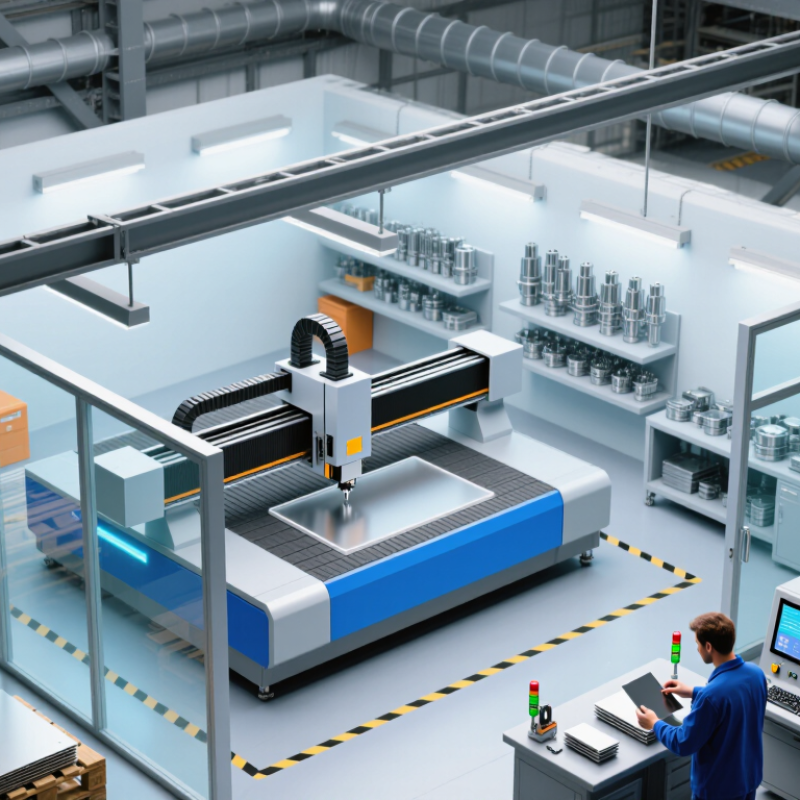
Then match the machine to your workflow. Measure the largest sheet you use, including room for loading and maintenance access. Estimate how many hours it must run during a normal shift, and ask whether extraction and cooling fit your workspace. If orders vary, flexibility may matter more than peak speed. It is easy to overestimate future demand. Revisit your figures with recent job records, and leave room for uncertainty. A careful needs list makes comparisons more useful than choosing by power rating alone.
How to Choose a CNC Laser Cutter: Match the Laser to Your Materials
Compare typical cutting suitability by material to help identify which laser technology best fits your business needs.
A score of 1 indicates a material commonly cut with that laser type; 0 indicates it is generally not used for that purpose. Actual capability depends on the machine, laser power, material thickness, and setup. CO₂ lasers are commonly used for nonmetals, while fiber lasers are commonly used for metals.
Compare CNC Laser Types and Their Cutting Capabilities
Choosing a CNC laser cutter starts with the material, not the advertised speed.
CO2 systems, typically operating near 10.6 micrometers, handle acrylic, wood, and many other nonmetals well. Fiber lasers, near 1.06 micrometers, are generally better suited to cutting reflective and common sheet metals. Low-power diode systems are useful for engraving and thin materials, but rarely fit demanding production cutting.
Cutting capacity depends on more than laser type. Power, assist gas, lens condition, and material thickness all affect edge quality and speed. A 2024 Grand View Research industry report valued the global laser cutting machine market at about $5.2 billion in 2023, reflecting broad industrial adoption—not proof that any one machine suits your shop. Catalog speed is seductive. Test your actual material and thickness before buying; a clean edge on a sample matters more than a headline figure.
Tips: Request a cutting test using your own stock. Check kerf width, dross, and corner detail. Also compare extraction needs and operating costs. I would not trust a single test cut, either; repeat it after the machine warms up.
Evaluate Power, Work Area, Precision, and Production Speed
How to Choose a CNC Laser Cutter for Your Business?
Evaluate Power, Work Area, Precision, and Production Speed
Power should match the materials and thicknesses you actually process. A thicker sheet may need more output or slower cutting, while excess power can scorch edges or waste energy. Check rated output and duty cycle, then test sample pieces using your usual settings. A clean showroom sample proves little.
Measure the largest parts you make, including room for clamps and sheet movement. The stated work area may not equal the usable cutting area. Precision also depends on focus, motion quality, calibration, and material consistency. For small lettering or close-fitting parts, inspect cut edges and dimensions across several pieces, not just one. Kerf width matters.
Production speed is more than the machine’s advertised travel rate. Include loading, repositioning, setup, and time spent removing residue. Run a representative job and record acceptable parts per hour, including rejects and pauses. A quick test can mislead. Keep the settings, material type, and results together; otherwise, comparing machines later becomes guesswork.
Review Software, Safety Features, and Maintenance Needs
When choosing a CNC laser cutter, test its software with the files your team actually uses. Check whether it imports common vector formats, shows a reliable cut preview, and lets operators adjust speed and power without guesswork. A clear job queue and saved material settings can reduce setup errors. Small details matter. Can a new operator find the emergency stop instructions quickly?
Safety features deserve more than a glance during a sales demonstration. Look for an enclosed work area, functional interlocks, and an exhaust system suited to the materials you plan to cut. Ask how filters are replaced and how airflow is checked. Fire detection can add protection, but it does not replace supervision. One easy mistake is assuming every material is safe to process; confirm compatibility using the machine guidance and material documentation.
Maintenance affects both cut quality and production time. Ask how often lenses, mirrors, rails, and cooling components need inspection, and whether routine service requires special tools. A dirty lens may leave uneven edges or reduce cutting performance. Keep a simple maintenance log with dates, filter changes, and recurring faults. It takes a few minutes. Still, schedules can slip when orders are busy, so consider whether the service routine fits the staff and downtime you can realistically manage. A polished software demo does not reveal every frustrating step, so have an operator try a real job before deciding.
Compare Total Ownership Costs and Supplier Support
A CNC laser cutter’s purchase price is only part of its cost. Compare the full package, including installation, training, extraction equipment, software, and delivery. Then estimate routine expenses: lenses, nozzles, filters, assist gas, electricity, and scheduled servicing. Ask how often consumables typically need replacement for your materials and shift pattern. Small costs add up. A machine running eight hours daily may have different service needs from one used occasionally.
Supplier support affects both uptime and staffing. Check what the warranty covers, how quickly technicians respond, and whether remote troubleshooting is available. Ask if spare parts are stocked locally and what common repairs usually cost. A detailed answer is more useful than a broad promise. Request a sample maintenance schedule and speak with a current customer, if possible. Still, support estimates can be optimistic; confirm response times and exclusions in writing before comparing offers.
Tips: Build a three-year cost sheet. Include expected downtime and operator training, not just service fees. Use your own production hours and material mix, then revisit the figures if your workload changes.