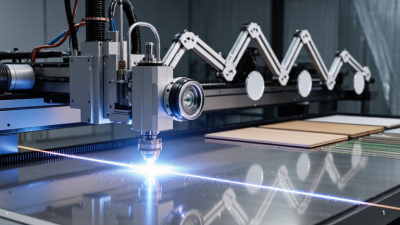
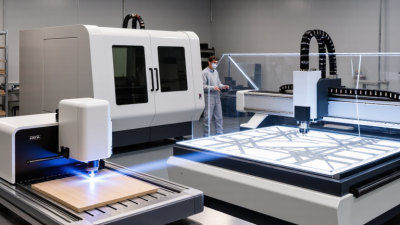
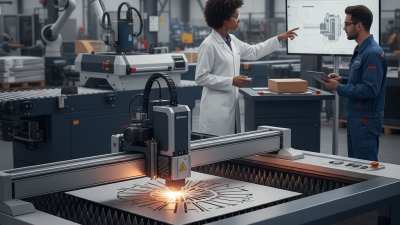
7 Tips for Buying the Best Laser Machine

A laser machine is a major production decision, not just a spec-sheet comparison. The right choice depends on what you make, how often you run it, and how much support you can access. MarketsandMarkets’ 2023 Laser Processing Market forecast valued the market at about $6.5 billion and projected growth to $10.4 billion by 2028. That forecast signals expanding industrial use. It does not prove that any one machine will pay for itself.

Start with the workpiece. A thin stainless-steel sheet, an acrylic sign, and a marked aluminum part can demand very different systems. Match the laser source, power, work area, and software to your actual materials and daily workload. Then look beyond cutting speed. Check repeatability, maintenance needs, extraction requirements, safety features, warranty terms, and local service availability. Small details matter. A delayed replacement lens or unavailable technician can stop a busy shop.

These seven tips will help you compare machines with practical questions, not impressive-sounding claims. Ask suppliers for sample cuts using your own material, and request clear operating-cost estimates. Review the manufacturer’s documentation and follow applicable workplace safety guidance. I’ll admit, headline power ratings can be tempting; they are also easy to overvalue. A faster machine may not be the better purchase if it creates more downtime or cannot handle your regular jobs. The best choice is the one that fits the work, the operators, and the budget—with room for honest second thoughts.
7 Tips for Buying the Best Laser Machine

Define Your Projects, Materials, and Production Requirements

Before comparing laser machines, write down what you will actually make. A small shop cutting 3 mm plywood has different needs from a studio engraving coated tumblers or marking metal parts. List each material, its thickness, sheet size, and expected finish. Include the largest item, not just the easiest sample. That detail is easy to miss.

Estimate weekly volume and the longest typical run. A few personalized signs may suit a compact bed, while repeated panels need reliable alignment, effective fume extraction, and room for loading. Think about tolerances too: a 1 mm shift may be harmless on a rustic tag but costly across a fitted assembly. Request a sample cut using your own material. Test more than once. Inspect the edge, kerf, engraving depth, and consistency across the work area. Keep the settings and results. It helps later.

Plans can change once real orders arrive, so leave some capacity for larger pieces or another material. Still, extra power without a clear use can add cost, ventilation demands, and setup complexity. Be honest about your workspace and operator experience. Check the material supplier’s safety information, since some coatings and plastics release hazardous fumes when processed. One awkward truth: your favorite project may not be your most frequent one. Note which jobs will be routine and which will remain occasional.

Compare Laser Types and Their Suitable Applications

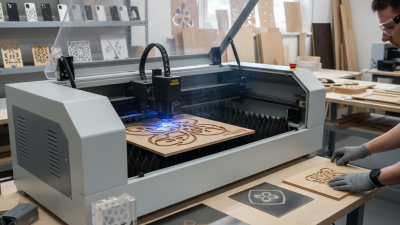
Laser type should match the material you use most, not the occasional project you hope to try. CO2 lasers work well with wood, acrylic, paper, and leather. They can cut thin sheets and engrave detailed designs, such as lettering on a wooden panel. A small test piece helps reveal scorching or uneven edges before you process a full sheet. That matters.

Fiber lasers are better suited to marking bare metals, including stainless steel and aluminum. They can produce crisp serial numbers and fine graphics on metal parts. For wood or clear acrylic, however, a fiber system may not be the practical choice. Diode lasers often suit hobby work, light engraving, and thin wood or coated materials. They are typically compact, but cutting can be slow, and clear acrylic is usually a poor match.

Compare more than the machine’s advertised power. Check its working area, material limits, ventilation needs, and the thickness you actually plan to process. A sample cut can show whether edges look clean and whether small text stays legible. Results also vary with focus, material quality, and settings. It is easy to overvalue speed on paper; in a real workshop, setup and repeatability matter too. A specification sheet cannot answer every question.

7 Tips for Buying the Best Laser Machine – Compare Laser Types and Their Suitable Applications

Laser Type Typical Wavelength Materials It Commonly Processes Suitable Applications Key Advantages Limitations to Consider Buying Tip
CO₂ About 10.6 μm Wood, acrylic, paper, cardboard, leather, fabric, and many other nonmetals Cutting and engraving signs, packaging, wood products, textiles, and acrylic parts Versatile for many nonmetals; can cut thicker sheet materials than many low-power diode machines Not generally suitable for directly cutting bare metals; requires extraction and careful management of smoke and fumes Check the working area, rated power, cooling system, and whether the materials you use require special ventilation
Fiber Typically about 1.06 μm Stainless steel, carbon steel, aluminum, brass, copper, and some plastics Metal marking, serial numbers, codes, engraving, and, on suitable systems, metal cutting Well suited to metal processing; often offers fast marking with relatively low routine maintenance Standard fiber systems are less suitable for cutting or engraving many transparent and organic materials Confirm whether you need marking, deep engraving, or cutting; these tasks can require very different power levels and configurations
Diode Commonly about 445–455 nm for blue diode systems Wood, paper, leather, and some opaque plastics; results vary with color and material formulation Small-scale engraving, hobby projects, labels, and light-duty cutting of thin materials Often compact and accessible for light-duty work; useful for detailed engraving on compatible materials Generally slower and less capable for cutting than higher-power CO₂ systems; unsuitable for clear materials and most bare-metal cutting Check tested cutting thickness and engraving speed on your actual materials; never process unknown plastics without confirming their safety
UV Typically about 355 nm Many plastics, glass, ceramics, coated materials, and delicate components, subject to material testing Fine marking of electronics, small components, packaging, and products where a small heat-affected area is important Short wavelength can produce fine detail and reduce thermal damage on suitable marking jobs Often selected for precision marking rather than general-purpose cutting; equipment and operating costs may be higher Request sample tests on the exact material and finish, especially for heat-sensitive or multilayer products
Nd:YAG solid-state Commonly about 1.064 μm Metals and selected materials, depending on pulse format and machine configuration Marking, engraving, and some welding or precision-processing tasks Can be configured for pulsed applications that need controlled energy delivery Performance, maintenance needs, and operating costs depend strongly on the design; compare with fiber systems for metal marking Compare pulse characteristics, maintenance requirements, and total operating cost—not just the advertised output power
Any laser type: application fit Depends on the source and machine design Depends on wavelength, power, optics, material composition, and process settings Cutting, engraving, surface marking, or welding—each requires a machine suited to the specific task A well-matched machine can improve throughput, finish quality, and repeatability One machine is rarely ideal for every material and process; coatings, adhesives, and additives can change results and safety risks List your materials, thicknesses, daily workload, desired finish, and required production speed before comparing machines

Note: Actual performance depends on machine design, power, optics, settings, and material composition. Test representative samples and verify the material’s safety requirements before processing.

Check Work Area, Power, Precision, and Material Compatibility

A machine’s work area should fit the largest job you make regularly, with room for clamps, registration marks, and safe movement. Measure twice. A 400-by-400-millimeter bed may sound generous until a panel needs a border or a rotary fixture takes space. Check the usable area, not only the advertised bed size, and consider how sheets will be loaded. Leave room.

Power should suit your common material and thickness, not an occasional ambitious project. More wattage can cut faster, but it does not automatically produce cleaner edges or finer engraving. Ask for tested settings on materials you actually use. Verify them with a sample; results vary with focus, airflow, and surface finish. For precision, look for repeatable positioning and inspect small text, circles, and corners. Small details matter.

Material compatibility needs equal care. Confirm that the machine and its approved setup can process each material, including coatings and adhesives, since some can release harmful fumes. Check the manufacturer’s guidance and use suitable ventilation; never assume two plastics behave alike. Request a sample cut from your own stock if possible. Different batches can mark differently, and that uncertainty is easy to underestimate. If a supplier cannot explain material limits, maintenance needs, and realistic tolerances clearly, pause before buying. This is worth checking.

Evaluate Safety Features, Software, and Ease of Operation

Tip: Treat safety features as essential, not optional. Check for a fully enclosed work area, a lid interlock, an emergency stop, and clear warnings. Ask how fumes are extracted and whether filters need scheduled replacement. NIOSH reports that about 2,000 U.S. workers sustain job-related eye injuries requiring medical treatment each day. That figure covers workplace eye injuries generally, not laser incidents specifically, but it underscores the value of practical safeguards. Small details matter.

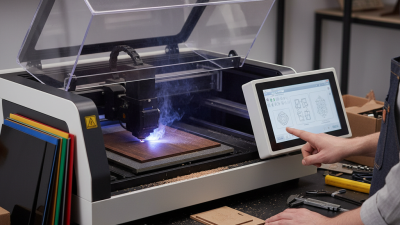
Tip: Test the software before buying. Can an operator preview a job, spot incorrect dimensions, and pause it without searching through menus? Look for clear status messages, simple file handling, and useful training materials. A short hands-on trial can reveal confusing steps that a product sheet will not. Test it yourself.

Tip: Watch a real operator complete a routine task, from loading a file to cleaning the work area. Notice whether controls are easy to reach and instructions make sense without constant help. Ask how updates, user permissions, and job records are managed. I would not assume “easy to use” means easy for every shift; experience levels differ, and that deserves a closer look.

Compare Total Costs, Warranty, Training, and Technical Support

Tip 1: Compare the full first-year bill, including delivery, installation, extraction, a chiller, software, and operator training. Then estimate recurring costs for lenses, filters, maintenance, and electricity. Ask for each item in writing. Small charges add up.

Tip 2: Read the warranty line by line. Check its term, covered components, labor, travel, and exclusions for consumables or improper maintenance. A 2024 industrial downtime report estimated that unplanned downtime cost large global manufacturers about 11% of annual revenue. That figure is not a forecast for every workshop, but it shows why repair speed matters. Ask how quickly technicians respond and whether remote diagnostics are available.

Tip 3: Treat training and support as operating requirements, not extras. Confirm who trains staff, how many hours are included, and whether setup covers focus, material tests, and safe daily checks. Ask for sample response times and the price of follow-up visits. Keep one written comparison sheet. I still find support easy to underestimate; a machine may run beautifully on delivery day, then stall over a small alignment question.